
Scenarios, the Baseline, and Saved Strategies
Saving your work is what turns RetireRange from a one-time calculation into a plan you actually live with. This page explains the three things you can save — scenarios, your baseline, and named strategies — and how they fit together.
Scenarios
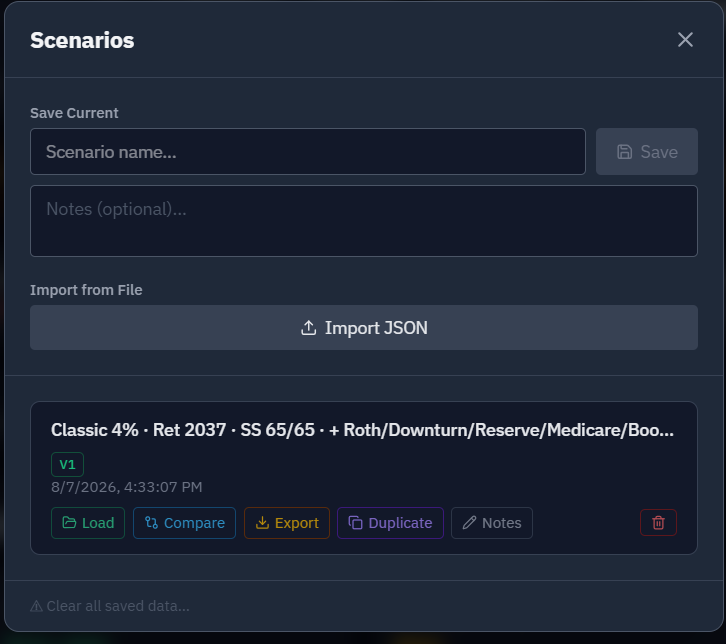
A scenario is a complete snapshot: all your inputs (household, accounts, strategy, assumptions) and the results of running them. Save one whenever you want to preserve a version of your plan or answer a "what if."
- Save with a descriptive name — name it for what makes it different, like "Retire 2030 — SS at 67" or "Conservative returns." Future-you will thank you.
- Scenarios are independent snapshots. Changing your inputs in the current session doesn’t touch a saved scenario; it stays as it was when you saved it.
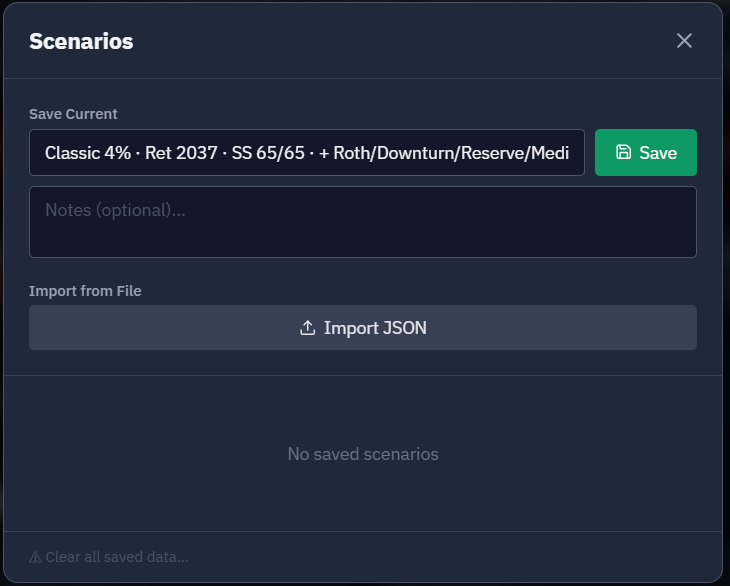
Most of the what-if recipes follow the same rhythm: start from your baseline, change one thing, save that variation, and compare it against the baseline.
The baseline — your plan you keep current
Your baseline is the shared snapshot of where you stand today: your current account balances, the people in the plan, and your core assumptions. It’s the foundation every scenario builds on.
Why keep a baseline at all? You save it once and keep it current — it isn’t something you re-save for each comparison. Think of it as the single, consistent starting line that every saved strategy and every Compare run is measured against. That’s what keeps comparisons controlled: because they all start from the same balances, any difference in outcome is the change you made, not a different starting pile of money. So you don’t compare things against a scenario you saved — you compare them against your baseline.
The baseline is what makes RetireRange a living plan. Whenever you reconcile your accounts — quarterly, annually, after a big change — update your baseline balances and re-run. There’s no automatic syncing; you decide when and what to update.
RetireRange tracks which baseline version each saved scenario was run against. If you update the baseline and then open an older scenario, it’s flagged as stale — a reminder that its results reflect the old balances and should be re-run. That way you always know which of your saved plans still reflect reality.
Getting back to it — the Load Baseline button. Explored a scenario or a variation and want to return to your plan as it stands? The toolbar’s Load Baseline button (⤺, right next to Save Baseline) restores your saved baseline into the working state — the inverse of loading a scenario. It brings back every part of your saved plan: balances and accounts, household details, assumptions, and strategy alike. So even a direct edit to an assumption or an account — the kind a few recipes ask for — is undone in one click; opening a scenario is never a one-way door.
Working in more than one tab. If your plan is open in two browser tabs, or on two devices, and you press Save Baseline in one, the others become out of date. An out-of-date tab can’t overwrite the baseline you just saved. As soon as you switch back to one, a red banner appears across the top of the planner: "This tab is out of date. Another tab or device saved a newer plan after this one opened, so the figures here are the older version and anything you change here is not being saved. Your newer plan on the server is safe. Reload to pick it up." Click Reload now to load the newer plan. Three things to know:
- Nothing on screen is replaced for you. The out-of-date tab keeps showing what it had, including any edits you hadn’t saved. Reloading is your decision, so copy anything you want to keep first.
- The banner can’t be dismissed. Only a reload resolves it. A banner you could close would leave you reading old balances with no warning.
- One tab on its own never sees it. Ordinary auto-save doesn’t trigger it. The banner only appears when another tab or device saved first.
One limit: the check runs when a tab comes back into focus. If you’re already looking at a tab while another device saves, the banner won’t appear until you click away and back, reload, or make an edit.
Named strategies (lighter than scenarios)
A named strategy saves only your withdrawal recipe — the method, target, and allocation, plus most of the levers a what-if changes: retirement date, Social Security claiming age, mortality settings, Roth conversions, a planned state move, lump-sum events, spending phases, and even whether contributions stop. It does not save account balances, the accounts themselves, or your return assumptions — those live in the baseline — and it doesn’t save results.
Why that matters: because a strategy carries no balances of its own, it’s always run against your current baseline. So when you compare strategies, the comparison is automatically "as of today," on the same footing — ideal for the Compare tab and for saving promising candidates out of the Optimizer.
Scenario vs. strategy, in a line: a scenario is a full saved snapshot (inputs + balances + results); a strategy is just the recipe, re-run live against your latest baseline.
An example — where the recipe pays off. Say you want to know whether you can retire early. You build that plan — an earlier retirement date and the withdrawal approach you’d use — and save it as a named strategy, "Retire at 60." Months later you reconcile your accounts and update your baseline with today’s balances. Now you just reload "Retire at 60" — and because the strategy carries no balances of its own, it re-runs against your new numbers instantly. You’re testing the same idea against your latest reality, without rebuilding anything. Saving the recipe rather than a frozen snapshot is exactly what makes that possible — and it’s why strategies, not scenarios, are what you compare.
Deleting and replacing
Deleting a scenario or strategy asks you to confirm first ("Delete "name" permanently? This cannot be undone."). Saving a strategy under a name that already exists asks before replacing it, and the button reads Replace.
Clear all data deletes only your saved scenarios, named strategies, and optimizer run history. Your baseline (household, accounts, and reference data) is preserved, as the confirmation panel says. When it finishes, the message reports how many items were deleted and names anything that failed to delete.
Comparing what you’ve saved
- For rigorous, side-by-side comparisons against the same market sequences, use the Compare tab — that’s what makes the difference reflect the strategy and not luck.
- Your baseline is always one of the lines. The Compare tab’s Compare against baseline toggle (on by default) draws your saved baseline plan automatically, so you don’t have to save your current plan as a strategy just to compare against it — save the variation as a named strategy and run. See Compare tab.
- You can also load a saved scenario and use Compare to overlay it on your current run.
The loop that matters
- Save your current plan.
- Change one thing and run again.
- Compare — and save the keepers.
- Come back and reconcile your baseline as life unfolds.
That cycle is the heart of how RetireRange is meant to be used. For what the comparison numbers mean, see Understanding your results.