
Reference Data Tab
The Reference Data tab shows the official tables — from the IRS, Social Security Administration, and Medicare — that RetireRange uses for tax, RMD, and Medicare calculations. This data is shared across every scenario; it isn’t per-plan, and it contains no personal information.
What’s in here
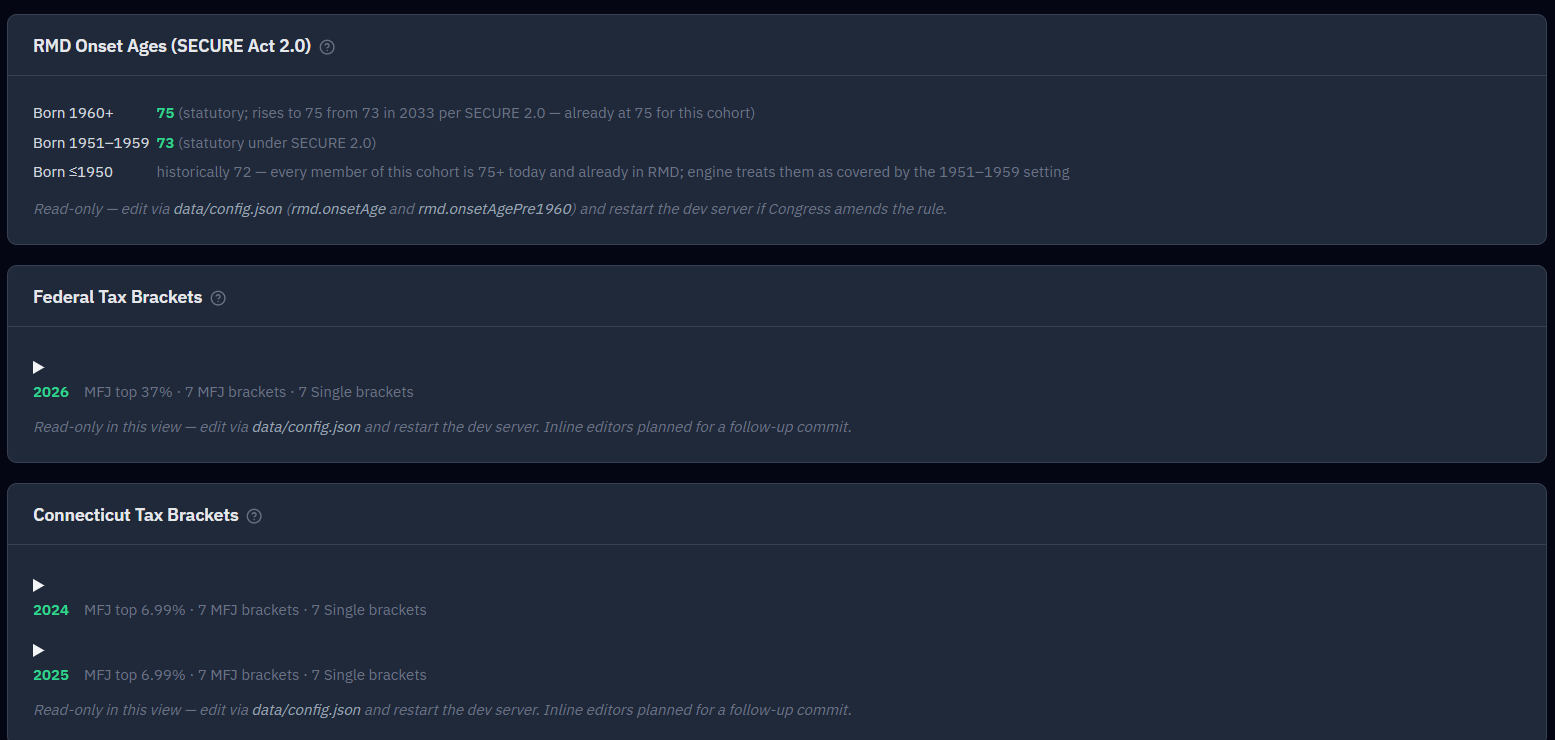
- Federal income tax brackets and the standard deduction (by year and filing status)
- State income tax brackets — the Connecticut schedule is shown here as the reference example (the engine supports all 50 states + DC; choose your state on the Household tab)
- IRMAA surcharge thresholds
- Medicare Part B and Part D base premiums
- The IRS Uniform Lifetime Table (used to size RMDs)
- Social Security PIA factors (the bend-point percentages)
- Payroll Tax (FICA & Self-Employment): the Social Security wage base by year, with the rates beneath it (6.2% Social Security and 1.45% Medicare for an employee; 12.4% and 2.9% for the self-employed, on 92.35% of net profit; and the 0.9% Additional Medicare Tax above $200,000 single / $250,000 joint). Used for earned income
- Social Security Earnings Test: both annual exempt amounts by year, with the $1-per-$2 and $1-per-$3 withholding ratios. Used when someone works while collecting before full retirement age; see Social Security
- The Social Security Average Wage Index (AWI) series, plus the assumed future AWI growth rate (3.5%/yr by default, the SSA Trustees’ intermediate wage-growth assumption). These are used only when you import an SSA statement and choose to recompute your benefit from your earnings history — see Social Security
- The RMD onset age — the age the law requires Traditional withdrawals to begin (73 for those born in 1959 or earlier, 75 for those born 1960 or later)
Viewing, not editing
Everything on this tab is read-only — it’s a transparency and audit view so you can check the exact figures behind your results, including the two SECURE 2.0 RMD onset ages (73 and 75). These values are maintained centrally rather than edited per plan, so everyone runs on the same current numbers, and a legislative change can be rolled out without a software release.
How updates work
When the IRS and other agencies publish new figures each year, the central configuration is updated and every plan picks up the new values. Only figures that are re-indexed every year get this treatment. For the newer tables, that means the wage base and the two earnings-test exempt amounts, which SSA updates each autumn. The payroll-tax rates, the Additional Medicare thresholds and the earnings-test ratios are set by law and change only when Congress acts, so they aren’t part of the yearly update. If that configuration is ever missing or unreadable, RetireRange quietly falls back to its built-in defaults, so the app always loads. If one hand-edited table is malformed (a field is missing, say), that table shows a notice naming the section and file and saying the simulation falls back to defaults, rather than the calculator failing to load. An individual missing value shows as a dash.
Seeing these tables is mostly useful for transparency — you can check the exact brackets and thresholds behind your results. For how those numbers play into your plan, see Taxes and RMDs.