
Accounts Tab
The Accounts tab is where you enter your savings and investment accounts — balances, types, and any ongoing contributions. This is the raw material your plan draws on.
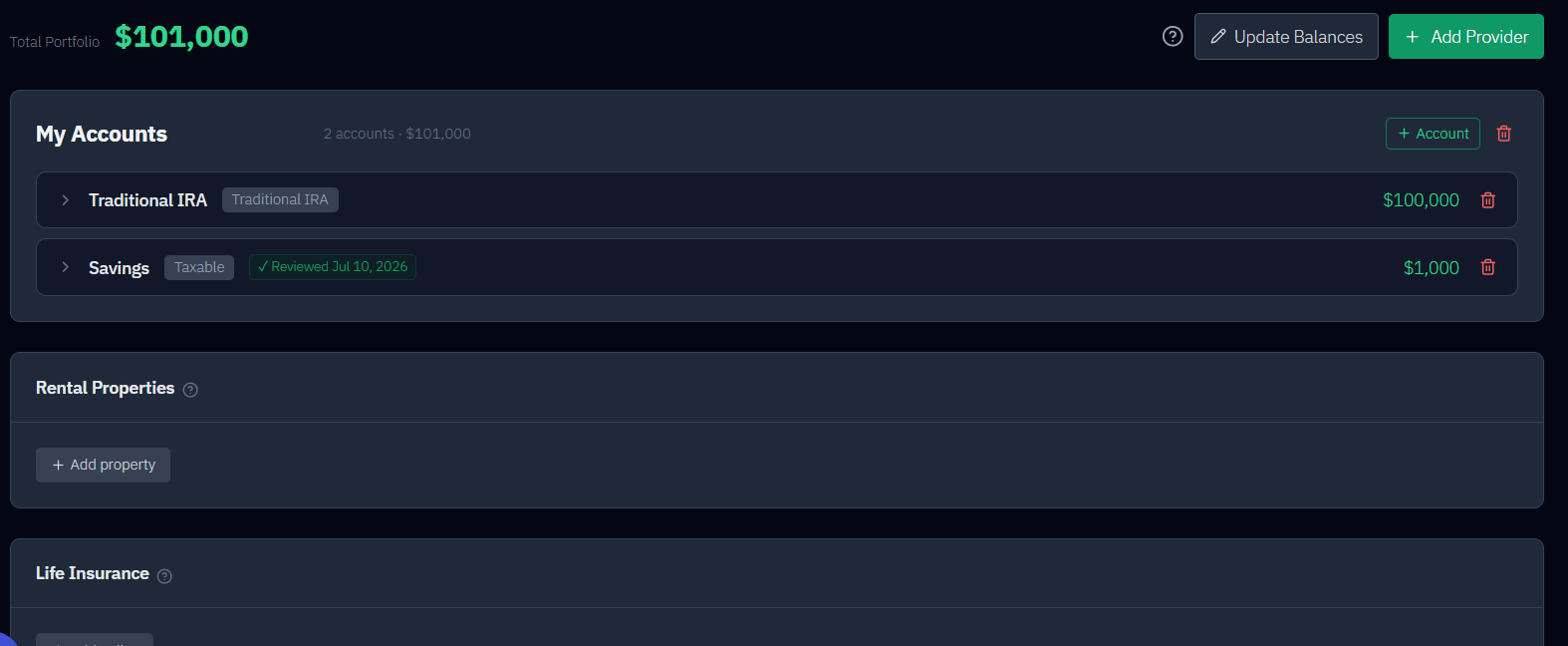
Account types
| Type | In brief |
|---|---|
| Traditional 401(k) | Pre-tax; withdrawals taxed as ordinary income; subject to RMDs |
| Roth 401(k) | After-tax; qualified withdrawals tax-free; no RMDs (the model, like current law, exempts all Roth) |
| Traditional IRA | Pre-tax; taxed on withdrawal; subject to RMDs |
| Roth IRA | After-tax; tax-free; no RMDs in the owner’s lifetime |
| Taxable | Regular brokerage; no special treatment; no RMDs |
| VEBA | Voluntary Employee Benefit Account — medical expenses only |
| HSA | Health Savings Account — medical-only by default, or set to general use (tax-free, any purpose) |
Each account also gets an asset class (Stocks, Bonds, Cash, or VEBA), which links it to the return and volatility assumptions on the Assumptions tab.
Medical accounts (VEBA and HSA)
VEBA balances are always reserved for healthcare — never drawn for general living expenses.
An HSA is medical-only by default, but you’re not locked in. Each HSA has a mode toggle:
- Medical-only (default) — reserved for medical costs; never drawn for general income.
- General use (tax-free, any purpose) — the HSA also funds your regular retirement withdrawals, modeled tax-free with no RMDs, much like a Roth IRA.
For medical costs, the plan draws VEBA first, then any medical-only HSA, then (only if both are empty) the general pool. Medical accounts are flagged Medical in the list so they’re easy to spot.
You can also run an HSA as a "stealth IRA" — leave it untouched to grow and defer using it until a chosen age, paying medical bills out of pocket in the meantime. It leans on the IRS rule that lets you reimburse yourself later, tax-free, for medical expenses you paid years earlier, so an HSA you leave alone keeps compounding. Set it up on the Strategy tab; see Use my HSA as a "stealth IRA".
Whatever’s left in an HSA at your plan’s end passes to your heirs as part of your after-tax legacy — an inherited HSA is taxed as ordinary income to a non-spouse heir (a spouse can roll it into their own).
Providers, ownership, and contributions
- Providers (e.g., "Fidelity") are just for organization — they don’t affect the math.
- Ownership matters: it drives each person’s RMDs and their state retirement-income exclusion, which most states apply per person by the owner’s age, and it determines how accounts transfer to a survivor.
- Contributions — for each account set a monthly amount (in today’s dollars), when it starts/stops (e.g., "until retirement"), and whether it grows with inflation. RetireRange warns you if a contribution exceeds the IRS limit for that account type, including age-50+ and age-55+ catch-up allowances. A rule’s catch-up age is kept as you type it (0 is not swapped for a default); if it starts the extra amount before the IRS allows (50, or 55 for an HSA), a warning says the extra is modeled that many years early.
- Include your employer match. For a 401(k), the monthly amount is your total contribution — employee deferral plus any employer match or profit-sharing — not just what comes out of your paycheck. There’s no separate employer-match field, so if you only enter your own deferral, employer money is missing from every projection. RetireRange checks your employee-deferral limit separately from the IRS §415(c) total-additions cap: a combined number above the deferral limit is informational, not an error, since the excess is expected to be employer money — it only becomes a hard warning if the combined total exceeds §415(c) itself.
Both of those contribution-limit notes can be dismissed. Expand an account card and each note carries an ✕ at its right edge — "Dismiss this note" for the blue informational one, "Dismiss this warning" for the amber one — matching the ✕ already on field-level warnings elsewhere, and it also clears the ⚠ marker from the account’s collapsed header. A dismissal persists per your account, across browsers and devices, and — unlike a field warning, which reappears the moment its value changes — it stays dismissed as long as the situation doesn’t get worse. Editing a contribution row without crossing a new threshold won’t bring it back. It does reappear if the situation escalates: dismiss the blue §415(c) note, then raise contributions past the §415(c) cap, and the amber warning shows up fresh, undismissed.
For what happens when you stop contributing, see what if I stop contributing to my 401(k)?. Next stop is usually the Strategy tab.
Holding More Than One Account of the Same Type
List every account separately here, even when two of them share a type — your Traditional IRA and your spouse’s, a 401(k) from a former employer alongside your current one. Nothing needs to be merged by hand.
At withdrawal time the model pools all accounts of the same tax type and draws from them pro-rata by balance. If you hold a $300,000 Traditional IRA and your spouse holds a $100,000 one, a draw from Traditional IRA comes 75% from the first and 25% from the second. If one empties, the remainder is taken from whichever accounts still have a balance. This is why the Strategy tab asks you to allocate across account types rather than across individual accounts — the individual accounts never appear there.
Keeping them separate here still matters, though:
- RMDs are calculated per account, against its owner’s age. A Traditional IRA owned by the younger spouse starts required distributions later than an otherwise identical one owned by the older spouse.
- Inheritance follows the account. Each account’s Beneficiary setting determines what a survivor or heir actually receives. The first option reads Default: Spouse (married filing jointly) (or Default: Non-spouse (single filer)), and Spouse and Non-spouse are explicit choices. The default assumes no heir tax on that account, which is optimistic: by plan end both spouses have usually died, and non-spouse heirs pay income tax on Traditional and HSA balances. A Traditional or HSA account left on the default in a joint household shows a warning suggesting Non-spouse for a conservative legacy figure.
- Asset class is per account. Two Traditional IRAs can hold different mixes of stocks and bonds, and the model returns them differently.
- Contributions are per account, with their own limits and windows.
Deleting an account (or changing its tax type) can change your Strategy-tab withdrawal allocation. If you delete the last account of a given tax type — here, by removing a whole provider, or by editing an account’s Tax Type away from the last one of its kind — the matching allocation row is removed automatically and its percentage is redistributed across the rest, proportionally, so the total stays at 100%. If you set a deliberate 60/40 split and then delete an account, expect the percentages to move; see the Strategy tab for the exact rule. Changed a tax type by mistake? If you change the last account of a type to another type and then change it straight back, before making any other allocation edit, your original percentages come back, with the message "Restored the Withdrawal Allocation percentages you had before."
Varying contributions over time
A single monthly amount isn’t the only option. Each account can hold more than one contribution rule — use + Add for another — and each rule carries its own amount, growth, and window. So a contribution is really one or more periods, which is what lets you model contributions that change, pause, or resume.
Alongside the symbolic Pre-Retirement and Post-Retirement anchors, a rule’s Start can be From year… (a specific calendar year) and its End can be → Year…. Switching a rule’s start to Post-Retirement sets its end to → End of Plan unless the end is already a specific year. A rule that starts at retirement and ends at retirement never contributes, so it shows → Retirement (invalid) and is a hard error: change the end to End of Plan or a specific year.
Pausing and resuming. To model a stretch with no contributions — a disability leave, a sabbatical, a few lean years — give one rule an end year and a second rule a later start year, leaving a gap between them. Don’t create a $0 rule: RetireRange reads the gap as a pause and shows a dashed-amber "⏸ Paused from Jan XXXX through Dec YYYY — no contributions to this account" strip between the two rules, so the pause is explicit. For example, contribute through 2027, then a second rule from 2032 at your prior amount leaves 2028–2031 paused.
Two guardrails. If two rules overlap, RetireRange soft-warns that the engine sums both during the overlap (adjust an end or start year for a clean pause). Overlap is judged month by month, as the simulation does, so the standard pair (one rule Now → Retirement, another Retirement → End of Plan) does not trigger it. A rule whose end year precedes its start year is a hard error and blocks the run.
Problems with a rule (an inverted range, a negative amount, a year outside 1900–2200) are shown on the rule itself as well as in the banner at the top. A four-digit year outside 1900–2200 is kept as typed, with a warning, rather than discarded. Deleting a rule does not change the schedule of the rules below it.
See Can I retire if I go on disability? for a full walkthrough.
Other Income
Below Rental Properties, the Other Income card holds recurring income that doesn’t come from your accounts: a part-time job, consulting, royalties, a side business, an installment payout. Pensions, annuities and Social Security have their own inputs on the Household tab, and rental income belongs on its property.
Click Add income stream for each source. Each stream has a Label, Who earns it, a Monthly amount (today’s dollars, before tax), a Growth rate, Start date and End date, and a Tax treatment of Ordinary income, Earned income (wages / self-employment) or Tax-free. Choose Earned income and a Paid as control appears, offering Employee (W-2 wages) or Self-employed (1099 / own business). What each field does, and how the model treats the income, is in Part-time work and other earned income.
Two notes you may see on an earned-income stream:
- The amber note under the stream sums up what earned income does in the model. Payroll tax is withheld from it. For income tax it’s treated like ordinary income. If the earner claims Social Security before full retirement age, it can withhold benefits under the earnings test, and those come back as a permanent increase at full retirement age. It raises the earner’s future benefit only if you import an SSA statement and choose Recompute PIA on the Household tab. See Social Security.
- A warning when no one is named. An earned stream left on Who earns it: Household isn’t run through the earnings test, and it adds nothing to anyone’s future benefit, because both belong to a person. If someone in the household actually does the work, pick them.
You’ll also get a warning if a stream’s earner is later removed from the household. The stream then falls back to household income and pays until the last death, so pick a new earner or set it to Household on purpose.
Validation. A negative monthly amount, an end date before the start date, or a growth rate of -100% or lower is a hard error and blocks the run. A very large monthly amount or an unusual growth rate only draws a warning, in case it’s a typo, such as an annual figure typed into the monthly field.